

Background and Challenges: As a “safety net” connecting website development companies and clients
“Is it really okay to leave our website just the way it is?”
When speaking with companies in regional areas, I often hear them voice such concerns. Because they lack specialized web knowledge, they sometimes feel forced to accept whatever the web design company says at face value, or end up continuing to pay unnecessary costs without even realizing it—such cases are by no means rare.
What if, before consulting anyone, you could first accurately assess the “current health of your site” on your own? This SEO diagnostic tool was born from that very idea. We aimed to create a “reliable anchor” standing between web design agencies and their clients.Although it’s called a “Simple Diagnosis,” the items it checks behind the scenes are technical, and it’s designed to provide a fairly in-depth analysis from the perspective of on-page SEO.
Main Features of the Diagnostic Tool
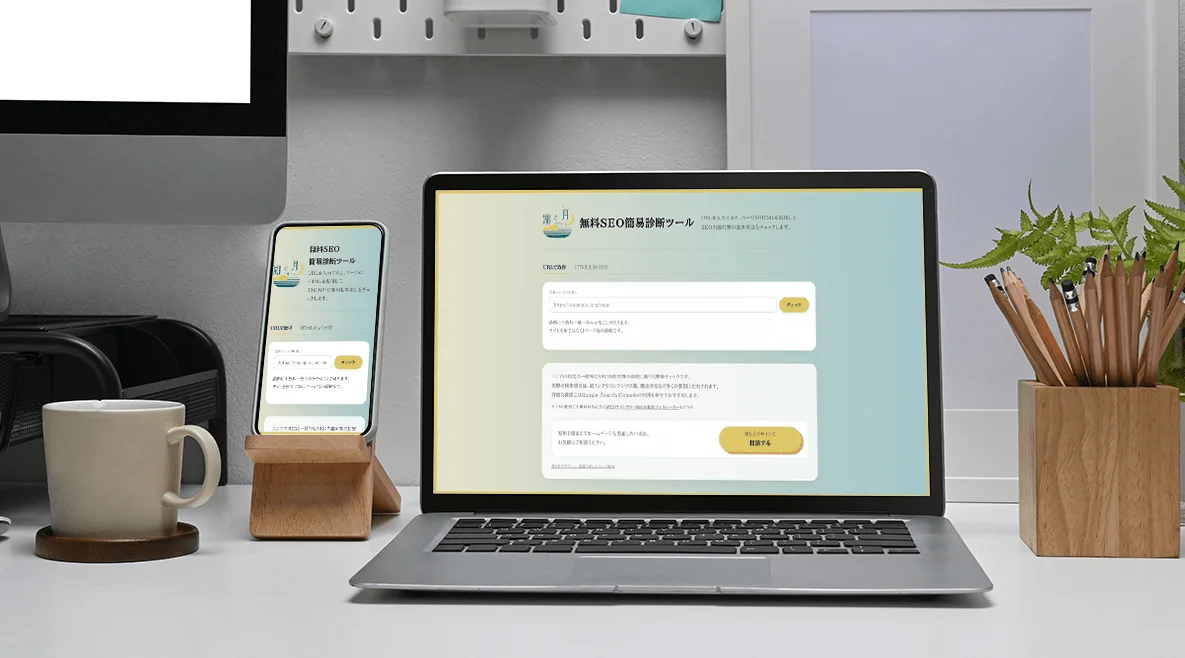
Easy Diagnosis by Entering a URL or Pasting HTML Source Code
Simply enter a URL or paste HTML source code, and the tool automatically checks basic on-page SEO elements such as title tags, meta descriptions, and heading structure. The key benefit is that it eliminates the hassle of manually verifying these elements while looking up technical terms—all with just one click.
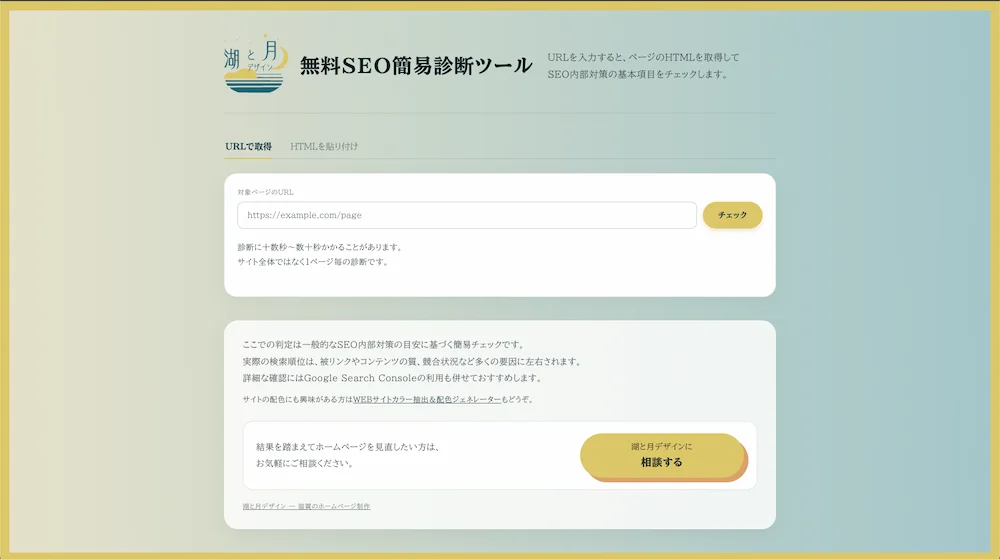
Detailed, Page-by-Page Analysis
Rather than providing a broad evaluation of the entire site, we focused on diagnosing each page individually. The tool is designed so that specific areas for improvement—such as “which parts of this page need to be fixed”—are crystal clear. Since it can diagnose not only the homepage but also subpages—which are crucial for driving traffic—on an individual basis, it makes it easier to prioritize SEO improvements across the entire site.
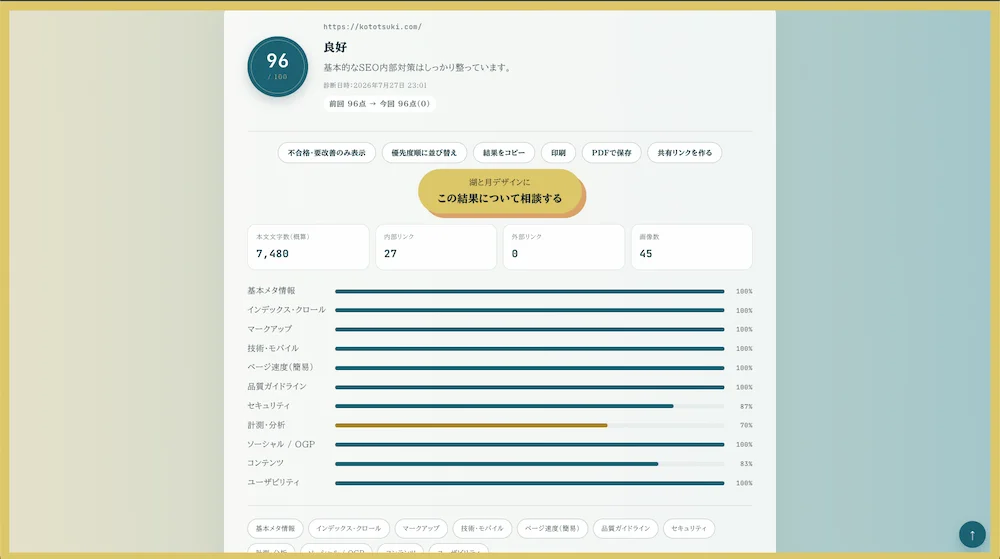
“PDF Export Feature” Ready for Internal Proposals
Diagnostic results can be saved and exported as a PDF with the click of a button. You can use them not only as your own reference but also as meeting materials when proposing a website review to your supervisor—such as, “We might want to improve this part of our site.” We’ve received feedback that having “objective data” in the form of diagnostic results makes it easier to get internal approvals.
Key Focus: UI/UX Design
A simple design that anyone can use without getting lost
We’ve kept the screen layout simple, consisting only of input fields and buttons. Our top priority is ensuring that even those less familiar with IT can navigate the tool intuitively without getting lost.
A Commitment to “Analysis Speed” That Eliminates Wait Times
While performing detailed analysis, we placed particular emphasis on execution speed. We’ve achieved a smooth, responsive user experience where results are returned quickly, without keeping users waiting.
Text Design That Conveys Trustworthiness
For the unavoidable wait time during diagnosis (ranging from a dozen or so seconds to several dozen seconds), we’ve included a progress indicator to keep users informed. We’ve also included a disclaimer stating that this is a “simple check based on general guidelines” and a recommendation to use it in conjunction with Google Search Console, striving for honest information design that prevents users from having unrealistic expectations.
An Email Form for Direct Consultation from the Diagnosis
For users who, after reviewing the diagnostic results, feel that “I really should have a professional review my website,” we’ve implemented a form that allows them to send a message directly from the diagnostic screen. This eliminates the need for unnecessary steps like navigating to a different page, allowing users to contact “Kototsuki Design” in a natural, seamless flow.
Results and Future Outlook
Since launching this tool, we’ve seen an increase in inquiries regarding “website creation and improvement” from users who identified issues with their own sites. Furthermore, we’ve received more consultations about the tool’s development itself—with many asking, “We’d like to develop (or implement) a service like this diagnostic tool for our own company”—so it’s effectively serving as a gateway to new business opportunities.
If you’d like to check the current state of your website for free, please give our SEO Diagnostic Tool a try.
 Contact Form


 Related Cases